
Should groceries and restaurants live in the same budget category? How much detail do you need for travel expenses? And where do you put those purchases that never seem to fit anywhere?
Choosing your categories is part of making Lunch Money your own. But whether you’re setting things up for the first time or rethinking a system you’ve used for years, it can help to see how someone else does it.
That’s why we’re excited to introduce the Category Template Library, a collection of category setups you can browse, borrow from, and customize.
A little inspiration from the community
The library brings together Lunch Money’s starter category sets, like Needs, Wants, Savings and Detailed Categories, and setups shared by our community. You’ll find everything from simple lists of everyday expenses to detailed systems for managing family finances, freelance income, travel, and more.
Some people keep their categories broad so they can quickly see where their money goes. Others break things down into smaller categories to follow specific expenses or goals. There’s room for both approaches.
For example, one community member organizes expenses by how much control they have over each cost. Another builds their setup around goals, fixed obligations, variable spending, and occasional expenses. One even includes a place for board games!
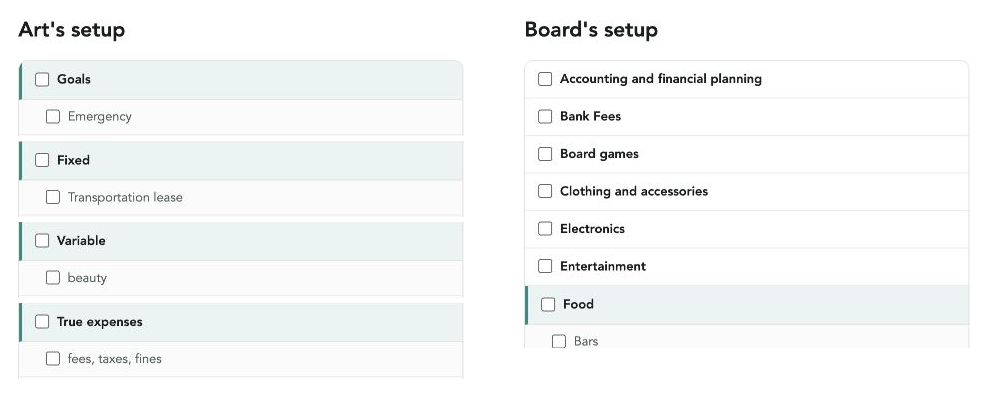
These examples offer a glimpse into how different people think about their money. You never know; you might find an approach that feels familiar, or one you hadn’t considered.
For your first setup, or your next tweak
If you’re new to Lunch Money, the library gives you a starting point. Find a template that fits your life, then adjust the categories to suit what you want to track.
Even if you already have a system you like, you might discover a better way to group your expenses, a category you’ve been missing, or an idea that helps you simplify.
You can copy a complete setup or mix and match categories from different templates. Keep what’s useful and make it your own.
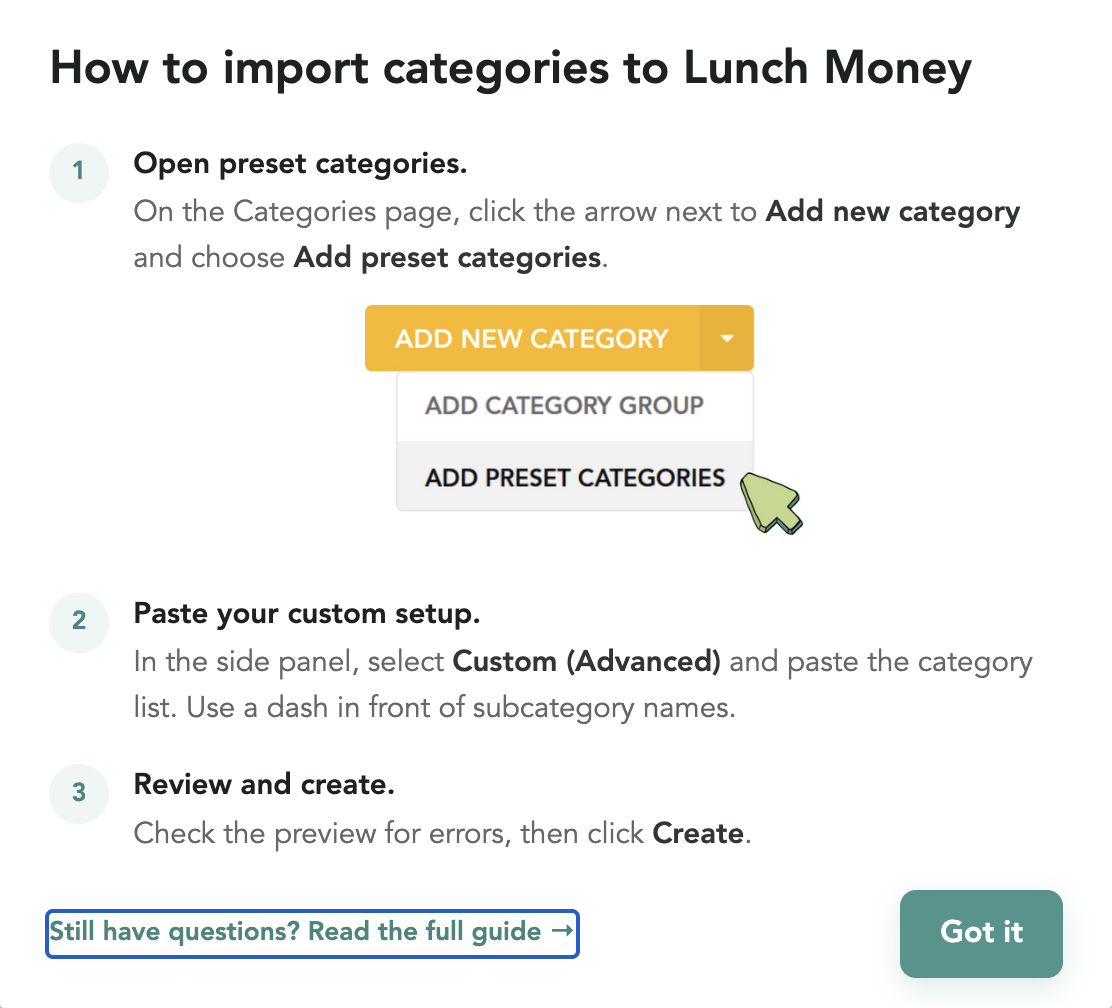
When you’re ready to add categories to Lunch Money, the library includes instructions for importing them. You’ll paste your category list into the Custom (Advanced) option on the Categories page, review the preview, and create your categories.
Share what works for you
We created the library to make it easier to get started and to give the community a place to learn from one another. Lunch Money users have put a lot of thought into their category systems, and those ideas can help someone else find their footing.
Have a setup you’d like to share? We’d love to include it. You can contribute your full category list or just a group of categories that works particularly well.
Visit the library for submission details and share your setup through GitHub or by emailing [email protected].
To celebrate the library’s launch, we held a giveaway to help us gather our first group of community category templates. We’ve now selected all five winners. Congratulations, and thank you to everyone who shared their setup!
Thanks to everyone who has contributed so far. We’re excited to see what others bring to the collection.