Most people think the only way to maximize their paycheck is to cut back on spending or find a higher-paying job. But here’s a truth I teach as both an HR professional and a money coach: your job likely already offers tools that can help you save thousands every single year, if you know how to use them.
From tax-advantaged accounts to employer reimbursements, many of the benefits sitting inside your HR portal can reduce your expenses, boost your take-home pay, and help you build long-term wealth.
The problem? Most employees either don’t understand them, don’t know they exist, or assume they’re “too complicated.”
This post breaks down the hidden benefits that help you keep more of your money, without cutting coffee, clipping coupons, or waiting for a raise.
1. Tax-advantaged accounts
Tax-advantaged accounts are often included in your employee benefits package. Your employer makes them available through your HR or benefits portal, so you can use them to lower your taxes, save for the future, and keep more of your paycheck.
In the U.S., the most common tax-advantaged accounts include:
- 401(k) (retirement account for for-profit companies)
- 403(b) (retirement account for nonprofits, schools, and hospitals)
- Health Savings Accounts (HSAs)
- Flexible Spending Accounts (FSAs)
- Dependent Care Account (DCA)
How these accounts actually save you money
When you contribute to a retirement plan, such as a 401(k) or 403(b), those contributions reduce your taxable income.
For example:
If you make $60,000 and put $6,000 into your 401(k), the IRS now taxes you as if you made $54,000.
For 2026, the standard employee contribution limit for 401(k) and 403(b) plans is $24,500. The catch-up contribution for those aged 50 and over is $8,000.
Additionally, a special catch-up limit of $11,250 is available for participants aged 60 to 63, if your plan allows it.
You keep more of your money now through tax savings, and you build wealth for later.
HSA and FSA accounts work similarly:
- HSA & FSA contributions are pre-tax
- Any gains grow tax-free
- Withdrawals for medical expenses are tax-free.
That’s the “triple tax advantage”, and it can save you hundreds or thousands per year. Any gains grow tax-free.
For 2026, the Health Savings Account (HSA) contribution limits are $4,400 for self-only**coverage and $8,750 for family coverage. Individuals age 55 and older can make an additional catch-up contribution of $1,000.
Tracking your tax-advantaged accounts with Lunch Money
You can import your HSA and FSA accounts to your Lunch Money Budget by either syncing them or uploading a CSV or PDF file to the platform. This way, your balance will be included in your net worth, too!
How to know how much to contribute
If you’re not yet maxing out your 401(k) or HSA (and most people aren’t), deciding “how much to put away” can feel stressful.
This is where using a digital budgeting tool like Lunch Money becomes a game-changer.
Inside the Lunch Money app, you can:
- Track your 401(k) and HSA balances
- See your contribution history
- Review your spending for the past year
- Understand how much room you have to increase contributions without feeling broke
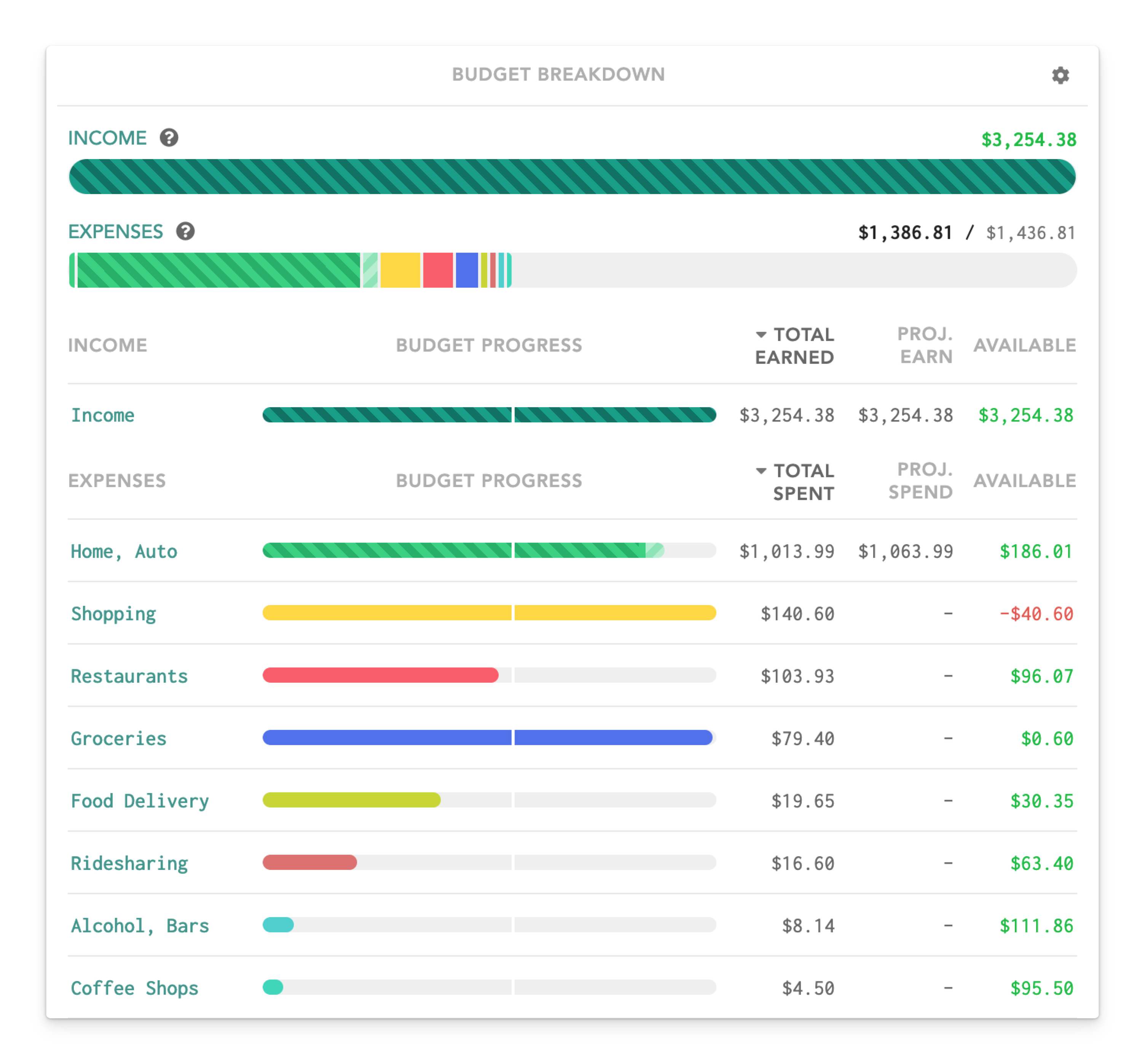
Pro tip: Before you adjust anything, take 10–15 minutes to look at what you spent last year. If you overspent in certain categories or have subscriptions you don’t use, you might free up $50 or even $100 per month. That’s money that could be redirected toward employee benefits that grow your wealth.
Many are scared to even look at what they spent last year. Remember, your budget tells the truth and Lunch Money helps you actually see it.
2. Employer contributions and matching: The free money most people leave behind
Employer matches are one of the biggest missed opportunities I see, especially among first-gen professionals who weren’t taught how these benefits work.
Here’s how employer matching works:
Your employer agrees to “match” a percentage of the money you put into your 401(k) or 403(b) plan.
For example:
- Your employer matches 100% of the first 3% you contribute.
- You make $60,000/year.
- You contribute 3% = $1,800.
- They contribute another $1,800.
That’s $1,800 in free money!
If you don’t contribute enough to get the full match, it’s like saying, “No thank you, I don’t want the free cash included in my compensation package.”
Why People Miss the Match
- They don’t understand the formula
- HR didn’t explain it clearly
- They don’t know where to see their contributions
- They’re afraid to adjust their paycheck settings
- They think they “can’t afford it”
3. Dependent Care FSA
A Dependent Care FSA (DCA) is a powerful yet overlooked employee benefit for working parents and caregivers. It lets you set aside pre-tax money to pay for eligible child care or dependent care expenses like daycare, after-school programs, summer camps, preschool, or care for an adult dependent who can’t care for themselves.
For 2026, the contribution limit increases to $7,500 per household, giving families even more room to lower their taxable income. If you’re already paying these expenses out of pocket, using a DCA is one of the simplest ways to keep more of your paycheck while covering the care your family needs.
Putting it all together: How to start keeping more of your paycheck
Saving money doesn’t begin with depriving yourself; it begins with using the tools that already exist in your job.
Here’s a roadmap you can follow:
Step 1: Review your spending
Use a budgeting tool like Lunch Money to:
- See exactly where your money went last year
- Identify money leaks
- Decide how much you can realistically contribute to benefits
- Track your 401(k) and HSA in one place; remember, it can be connected to your Lunch Money Budget
Step 2: Check Your Employer Benefits Guide
Look specifically for:
- Retirement accounts
- HSA/FSA options
- Matching programs
- DCA
Step 3: Pick One Benefit to Activate This Month
Don’t overwhelm yourself. Start with:
- Getting your full match
- Opening an HSA
- Having a meeting with HR and seeing what benefits are available to you
Small steps add up to significant savings over time!
The Bottom Line
Keeping more of your paycheck isn’t just about budgeting. It’s about understanding the benefits you’re already entitled to and using them strategically.
Your employer provides these programs because they want a healthier, more financially stable workforce. You’re not asking for anything extra; you’re simply using what you’ve earned.
And if you ever feel lost or overwhelmed by benefits, HR jargon, or contribution limits? You’re not alone. It takes guidance and practice to build confidence with money.
You deserve to keep more of your hard-earned money, and your employee benefits are one of the smartest ways to do it.
If you want help reviewing your benefits, setting up your accounts, or understanding where your money is going, I’m here to support you every step of the way.