Have you built your own budgeting spreadsheet? If so, it probably means something to you. That’s because budgeting is personal, and spreadsheets provide control, clarity, and give you the satisfaction of understanding your money on your terms.
But even the best spreadsheets require maintenance, tinkering, updating, and explaining, especially if someone else is budgeting with you.
If you love spreadsheets, I’m not attempting to change your mind. Instead, I’m inviting you to consider another approach that lets you maintain control, while lessening your workload.
In this article, I’ll show you a budgeting app, namely Lunch Money, that can help you set rules you can trust, review your finances in minutes, and make smarter decisions. If you are interested in clear choices with less friction, this article is for you.
Why we budget in the first place
People don’t budget because they love math. They budget because they want answers:
- Can I afford this?
- Am I overspending?
- Am I moving toward my goals?
- What do I need to change?
A good budgeting system should make those questions easier to answer. Both spreadsheets and budgeting apps can do that, but they don’t do it in the same way.
Where spreadsheets shine
My wife and I love gardening, most of it. We don’t enjoy the harder parts of the work, but we know the reward. Years of harvest have reinforced our desire to look forward to next spring and ask what we will do the same, and what we will do differently.
Those who like to create custom spreadsheets have a similar joy, it’s home grown.
Spreadsheets give you complete control. You choose the categories, and you decide what matters and what doesn’t. For people who love building systems, it can feel really fun and rewarding.
But spreadsheets also have limitations in real life. For example, you have to build everything yourself, keep formulas working, update the data manually, and copy to create new versions when you change things. If one cell breaks, the whole sheet can get messed up.
It’s also not much fun to use on your phone, making budgeting on-the-go a chore. And your spouse or partner may not enjoy using them.
So yes, you get power and flexibility, but it’s a tradeoff of time, effort, and mental energy.
Lunch Money: Same logic, but with less work
Spreadsheet users value the ability to customize, which is why many of them are hesitant to use budgeting apps. But while Lunch Money doesn’t let you change the table or background colors, or the cell fonts, when it comes to adjusting budgeting functions, it requires less learning than a spreadsheet.
In short, you can employ just about any budgeting method inside apps like Lunch Money.
For example, you can still create clear categories, track your spending and your budget, view historical data, all with accurate numbers. It’s a system that makes sense. Not only that, with Lunch Money’s companion mobile app, the wonderful experience reaches beyond the desktop to your phone.
Instead of doing all the work yourself, Lunch Money automates the hard parts.
- Bank transactions can be automatically imported
- Rules help you categorize spending
- Reports are built in
- Everything stays synced across your devices
- It works beautifully on desktop and mobile
- It’s easy for a spouse or partner to join and use
Like the spreadsheet, you get accurate calculations, current and accurate data, and financial clarity that can be appreciated by those who love spreadsheets and those who just don’t get them.
Note: I still use spreadsheets, but not regularly. My core budgeting is done with the apps. When I compare the work done in a spreadsheet with the job a good app can do, the basic budgeting and personal accounting, for me, still happens in a budgeting app. Since I also enjoy what a spreadsheet can do, my mind still finds reasons to pull out Excel or Google Sheets. It could be because it will do something my app will not. Given that I mess with both spreadsheets, perhaps I am looking for an excuse to play with tech.
Getting started with Lunch Money is easy
You don’t have to commit to Lunch Money to try it out. It offers a 30-day free trial, with no credit card required up front. That means there is no “oops, I forgot to cancel”, and a charge showed up on my bill.
Just go to Lunch Money, and you will see the place to enter your email address and click to get started. It will ask you for some basic information to create your budget account. Then you will see this pop-up:
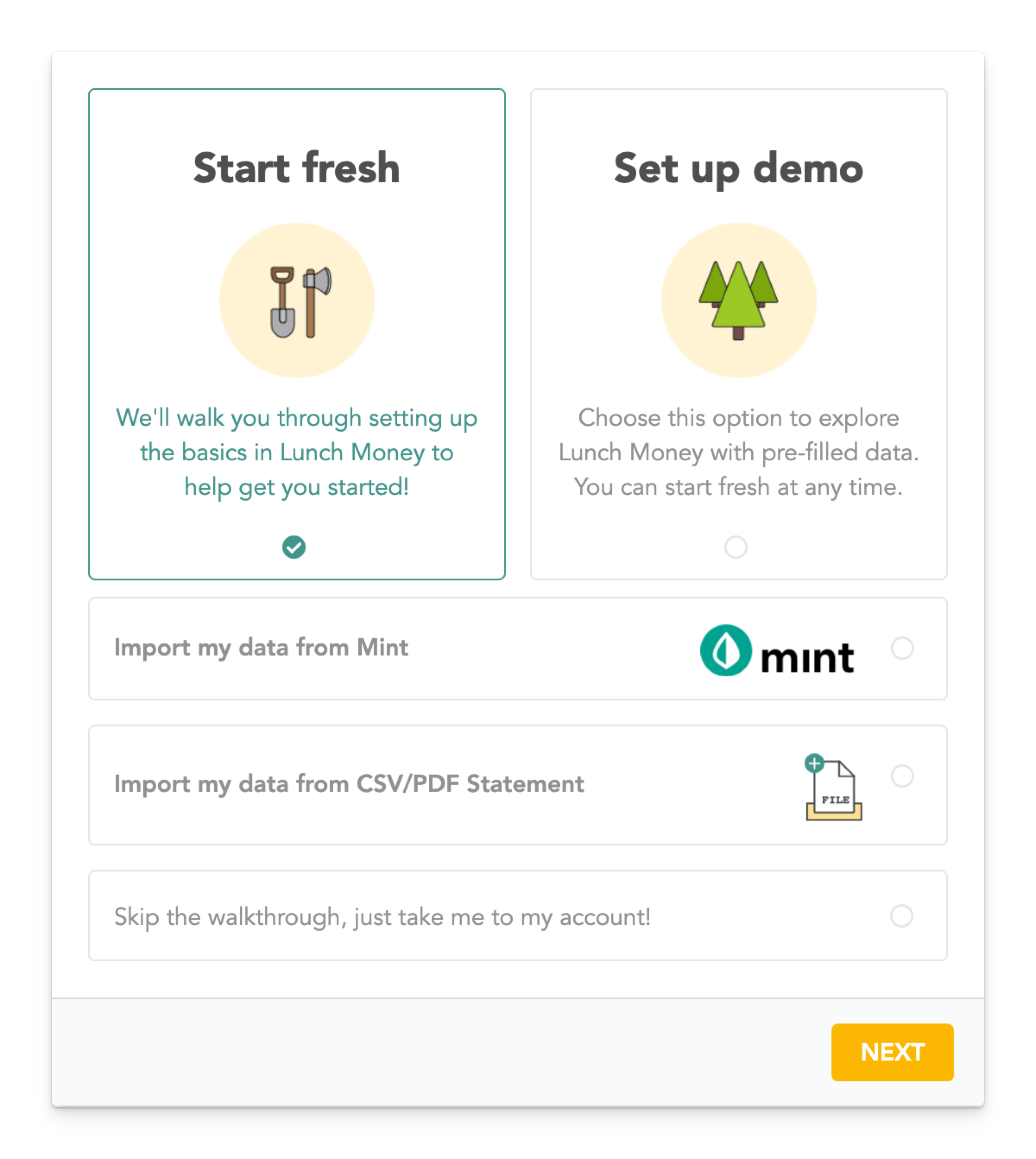
If you want to try the demo first, you can come back and set up another budget later. You can import data from CSV files or PDFs. There is also the option of just creating a bare bones setup. It’s like having a full-featured budgeting spreadsheet, wrapped in the friendly interface of an app, functional on desktop and mobile, ready to roll.
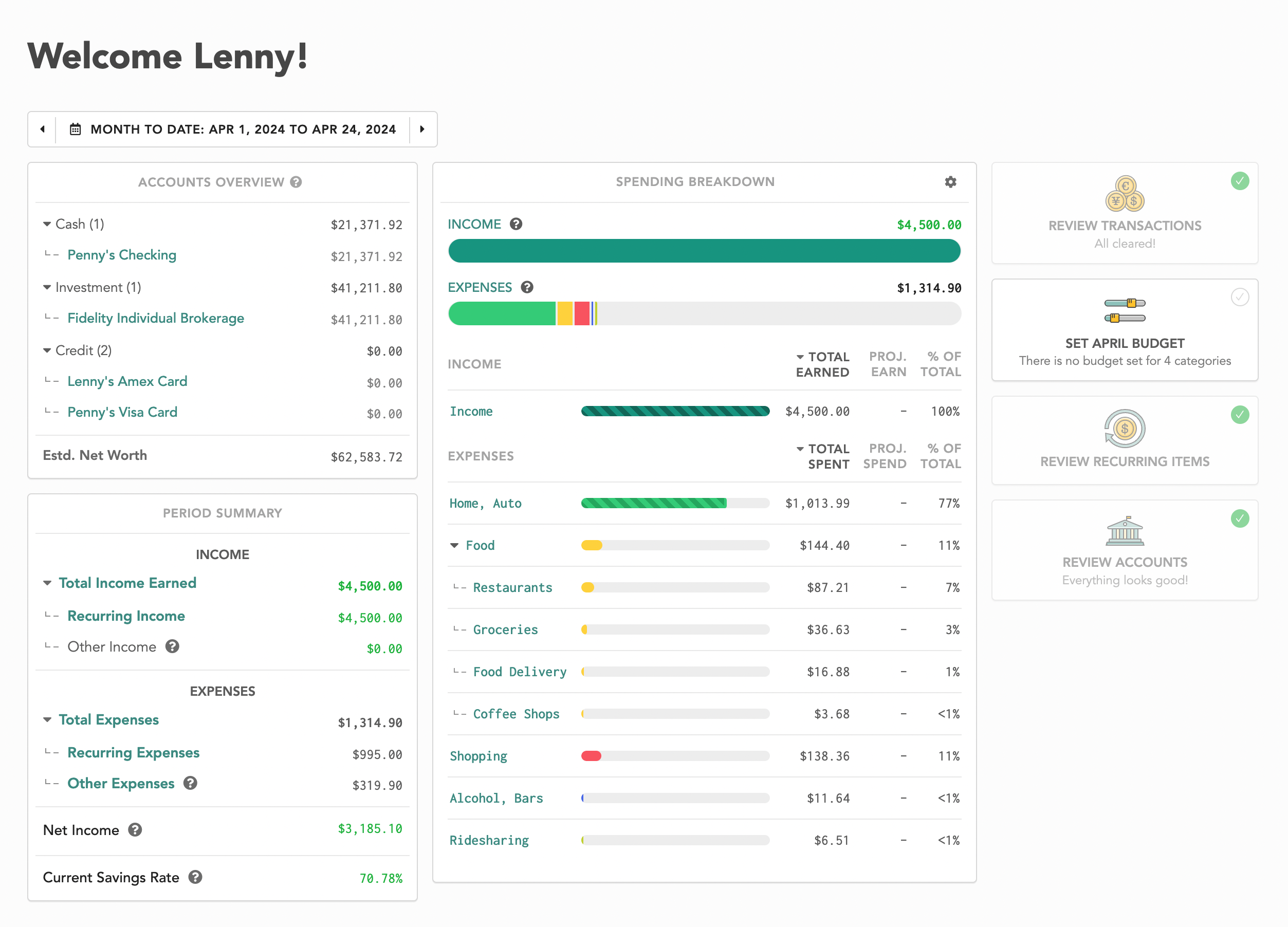
You can see both the desktop web view and the mobile app view below. They provide the same data but are optimized for each screen type. I suggest playing around with the demo budget if you are just getting started, then come back around and create your personal budget.
Lunch Money vs. Spreadsheets: Pros and Cons
| Pros | Cons | |
| Lunch Money |
|
|
| Spreadsheets |
|
|
The bottom line
Lunch Money gives you the power of a spreadsheet with the simplicity of an app. It’s a choice you can make today, and you can still bring the data back into a spreadsheet when you have extra time.
Remember, the goal of budgeting is not to restrict your spending. The goal of budgeting is to optimize your spending. If you cannot get something you want, it isn’t because you have a budget; it is because you don’t have that much money available. A proper budget helps you see what you can do with the resources you have.
If you’d like help building a budget that fits your real life, Lunch Money’s certified coaches (I’m one of them!) are here to guide you. Whether you want clarity, accountability, or simply someone to walk alongside you, a coach can help you create a plan that feels realistic.