I’m a big fan of the Apple Card. You can share it with kids and set spending limits; it offers a great rebate when you use Apple Pay, and it’s easy to manage from your phone.
Since Apple’s API is limited to iOS, Plaid hasn’t been able to support it. But there’s good news! 🎉 Bob, a Lunch Money community member and former developer, built a tool to sync Apple Card transactions to Lunch Money.
We spoke with Bob about how Lunch Sync works, the challenges he’s faced getting it working, and what he learned while building it.
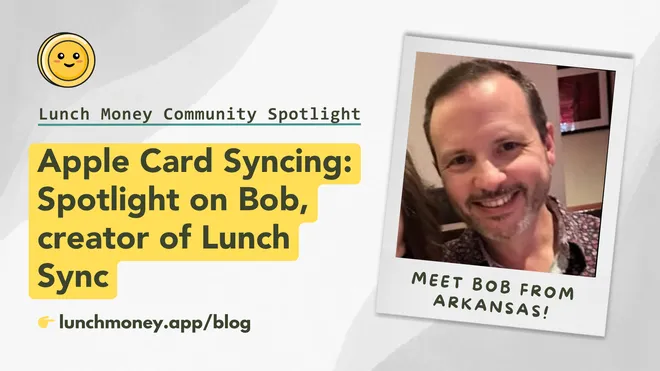
This month’s spotlight is on Bob, creator of Lunch Sync, from Arkansas

Q. Hi Bob! Please tell us a bit about yourself.
I’m a former software developer who is now a manager at a technology company. I love software development, and when I’m not vibe-coding personal projects with Cursor, I’m road biking, playing video games or working to pay for my next ski trip :)
Q: How did you come to start using Lunch Money?
Several years ago, I built a financial tracking system for myself using Mint.com with MintAPI to get my transaction data. When Mint changed ownership, I wanted to find a real API to replace it. I played with several APIs, but they required a lot of work to use. When I found Lunch Money, I was drawn to both its simple, developer-friendly API and its vibrant, friendly developer community.
Q: What is Lunch Sync? How did you decide to take this project on?
Lunch Sync is an iOS app that syncs transactions from Apple credit cards, Apple Cash and Savings accounts to Lunch Money. Plaid doesn’t support syncing these transactions (and so neither does Lunch Money).
I thought about dropping my Apple Card, but then learned about FinanceKit, a developer framework that lets apps securely access and use a user’s Apple Card, Apple Cash, and Savings account data. My iOS development skills were a little rusty, but with the help of AI coding tools (I use Cursor with Xcode), I was able to build a proof of concept in a few days. Eventually, I launched a version for testing with the Lunch Money community.
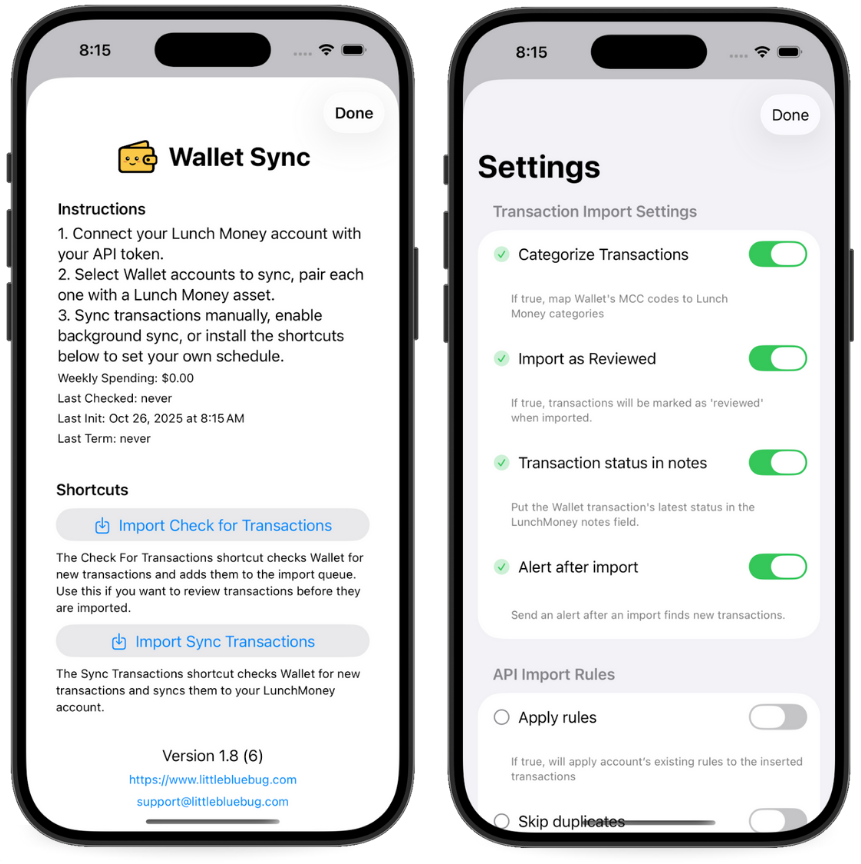
Lunch Sync currently has around 60 active users. My main focus has been to make it simple to set up and automate — a “set it and forget it” approach. I’ve added several features that the community suggested (more feature toggles, category mapping, etc.). I also just added CloudKit support, so users won’t lose their settings or category mappings when reinstalling the app.
Q. We know financial data privacy is a top concern for many users. How would you address someone’s hesitations about using Lunch Sync with their Lunch Money API key and financial information in general?
Apple is very protective of the FinanceKit API and closely monitors how it is used. Only transaction-level data is available through the API (not the user’s personal information). The sync is also one-way, so the app can only retrieve data.
A Lunch Money community member suggested I make Lunch Sync open source, so you can see exactly what the app does with your transaction data if you want to look at the code. It was a great idea.
I’d like to see Lunch Money provide a better way for users to allow access to their data. Something like OAuth with more granular control would help users feel more comfortable using 3rd party tools.
Thank you for this contribution, Bob! I actually got the Apple Card because you created this app, and now I love both of them.
Oh, and you’ll be pleased to know that support for OAuth and allowing users to grant more granular permissions when they authorize 3rd-party apps is definitely on our roadmap!
Have any questions or feedback? Chat with Bob and other Lunch Sync users in the official #lunch-sync-apple-card Discord channel:
Lunch Money v2 API Update 🤖
The next version of the Lunch Money API has reached closed alpha! It includes expanded coverage, improved error handling, an OpenAPI spec, and other highly requested updates.
Community Survey 🗳️
We’re always improving Lunch Money, and your feedback helps guide what we build next. 💡
If you have a few minutes, we’d love to hear how things are going: what you love, what could be better, and what you’d like to see in future updates. The survey will be open until November 23, 2025.
Connect with us on social media! 📱
Thinking about buying a new car? 🚗 Before you start scrolling through listings or test-driving your dream ride, make sure it actually fits your budget.
In this recent video, Jacob breaks down the 20/4/10 rule— his go-to formula for figuring out how much car you can really afford without crushing your finances. Plus, discover smart tips and a few solid used cars worth checking out!

We’d love to connect with you on social media. Find us on the following platforms:


Latest from our blog! 📰
Our latest blog post just dropped: “Controversial Money Saving Tips”, and yeah… it has some hot takes. 🔥
We’re calling out the myth that cutting your fancy coffee or buying in bulk will solve your budget woes. Instead, we’re digging into what actually makes a difference, like paying attention to the big expenses you ignore and building habits that stick.
Check it out now and get ready to rethink how you’re managing your spending. Your wallet (and sanity) will thank you!
Do you have a story or idea? 💭
We’d love to feature more community stories in our newsletter!
Have you got an interesting story about using Lunch Money, a cool app, plugin, or tool you’ve built, or perhaps a topic you’d like to see us explore in future issues of the Community Newsletter?
Please reach out to JP by email at jp@lunchmoney.app!